 sequence
 Custom IMAP / SMTP mailboxes
SMTP warmup.
A considered start.
Bring a supported IMAP/SMTP mailbox into Sequence-r, review its connection and manage warmup alongside your outreach. Start with the account and server details supplied by your email provider.
Free email warmup · Your connected mailbox · Provider rules still apply
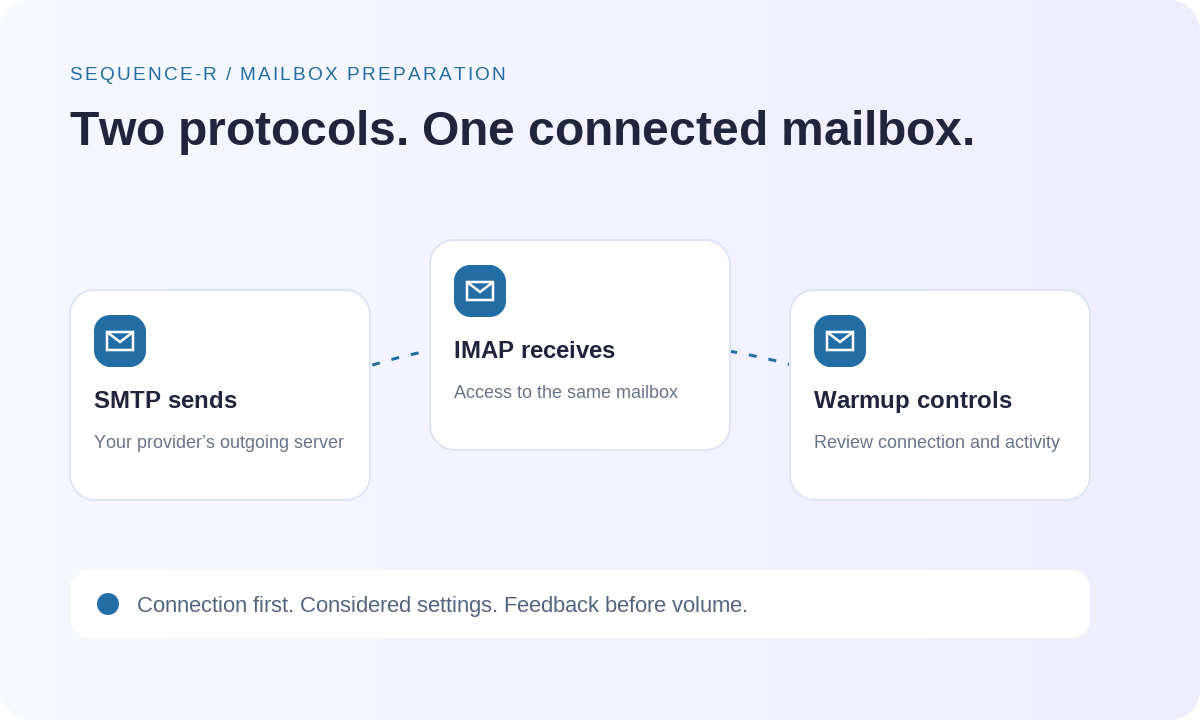
SMTP warmup in Sequence-r starts with a connected mailbox, not a standalone SMTP relay. The incoming and outgoing settings both matter: SMTP submits messages, while IMAP provides access to the mailbox.
SMTP sends. IMAP gives access to the inbox.
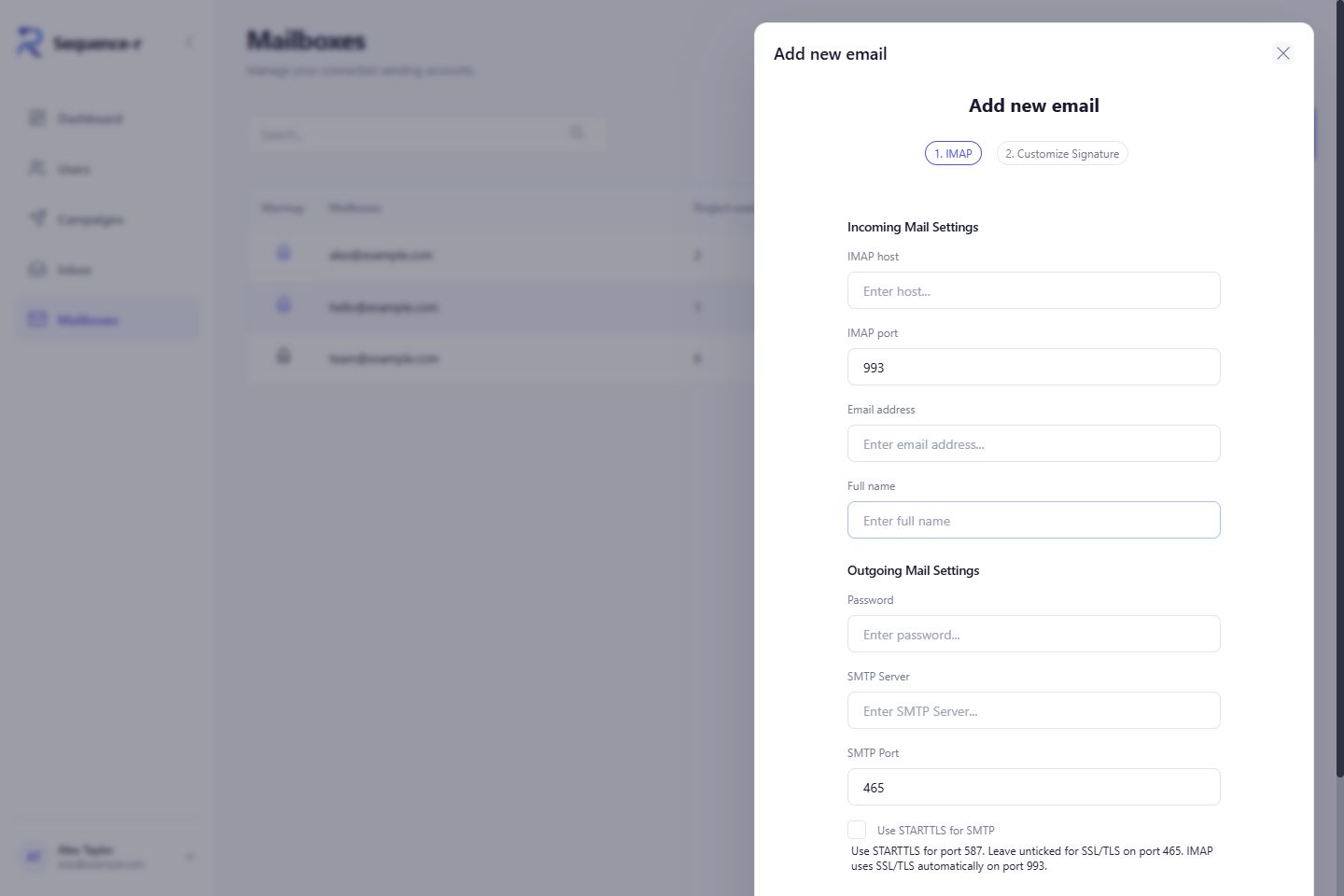
A working outgoing SMTP connection is only part of a mailbox integration. Sequence-r’s IMAP connection flow also asks for incoming mailbox details. Use settings for the same sending account and match the authentication and encryption requirements supplied by your provider.
The IETF’s message submission standard, RFC 6409, explains the distinction between submitting a message and relaying it. For the actual hostnames, ports and credentials, use your email host’s current documentation rather than copying values from another provider.
Connect your mailbox before enabling SMTP warmup
- Get the account details. Confirm the IMAP host and port, SMTP host and port, account address, authentication method and encryption settings.
- Choose IMAP in Sequence-r. Open Mailboxes, select Add Mailbox and choose the custom IMAP option.
- Review incoming and outgoing settings. Check the address, full name and the server details. Match the STARTTLS option to your provider’s instructions.
- Finish the connection. Complete the signature step and review the connected account before using its warmup controls.
See the mailbox connection guide for the interface walkthrough. Google users should also check the dedicated Gmail warmup page; Microsoft users can use the Microsoft 365 warmup page.
Mailbox warmup is different from dedicated IP warmup
A mailbox is the account you send from. A sending domain identifies the authenticated domain, while an IP address belongs to the sending infrastructure. Connecting a mailbox through SMTP does not give you control of a shared provider’s IP reputation.
If you operate a dedicated sending server or relay, its infrastructure and IP preparation need a separate plan with your host. This page describes connected-mailbox warmup in Sequence-r; it is not a dedicated-IP provisioning service.
Check the connection, then monitor the sending routine
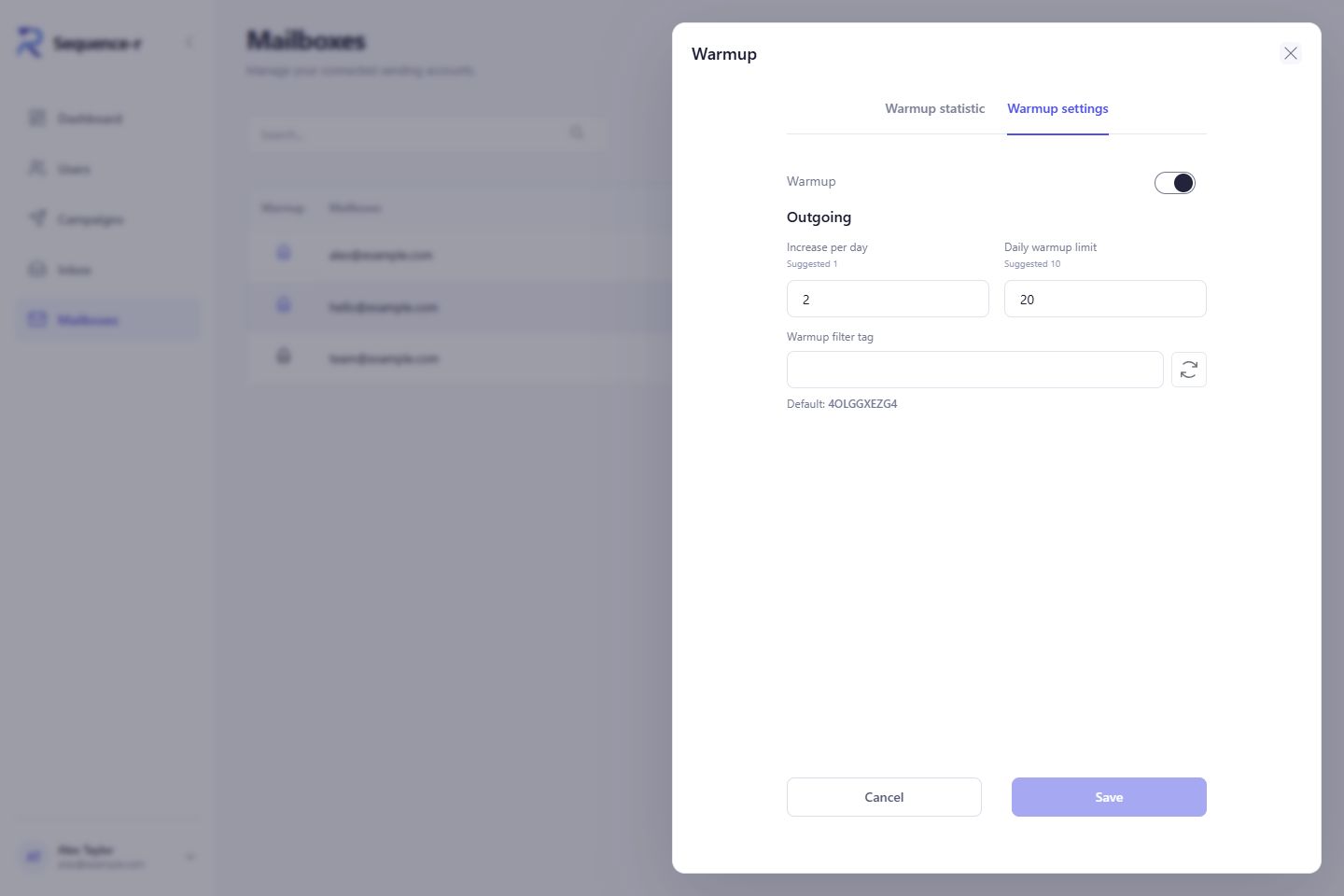
Review the warmup configuration in Mailboxes, then watch for connection errors or delivery warnings. If authentication fails or a provider refuses messages, correct the cause before trying to scale activity. Warmup does not repair an incorrect password, DNS configuration or unavailable mailbox.
For your own sending domain, check SPF, DKIM and DMARC with the responsible administrator. Review the warmup preparation checklist and the free warmup tool overview before building your first campaign.
SMTP warmup questions
Can I warm up an SMTP relay without an inbox?
This Sequence-r workflow is for supported connected mailboxes with incoming and outgoing access. Do not assume that a relay-only service, API-only sender or dedicated IP is a compatible mailbox.
Which server port should I use?
Use the host, port and encryption combination your provider documents for the account. A port number alone is not a complete configuration, and settings differ between providers.
Does warmup remove my provider’s sending limits?
No. Provider rules and limits still apply. Increase activity only when the account and delivery feedback justify it; warmup does not guarantee inbox placement.
What can I do after connecting?
Review warmup, then prepare an automated campaign or a manual sequence. Keep recipient relevance and opt-outs part of the workflow.
Review the mailbox before your next campaign
Open the account’s warmup controls in Mailboxes and check the configuration. Use mailbox health and activity as diagnostic context, alongside provider feedback.
Prepare your inbox. Start thoughtfully.
Connect your account and review warmup before outreach.