 sequence
Prepare a campaign
Describe your audience, offer and goal. Ask Ana to help create a campaign and prepare a sequence, then review the proposed changes.
 MEET ANA Beta
Turn an outreach idea into a campaign you can review. Ana helps you write email sequences, work through setup and understand campaign activity inside Sequence-r.
Built into your workspace · Changes need your approval
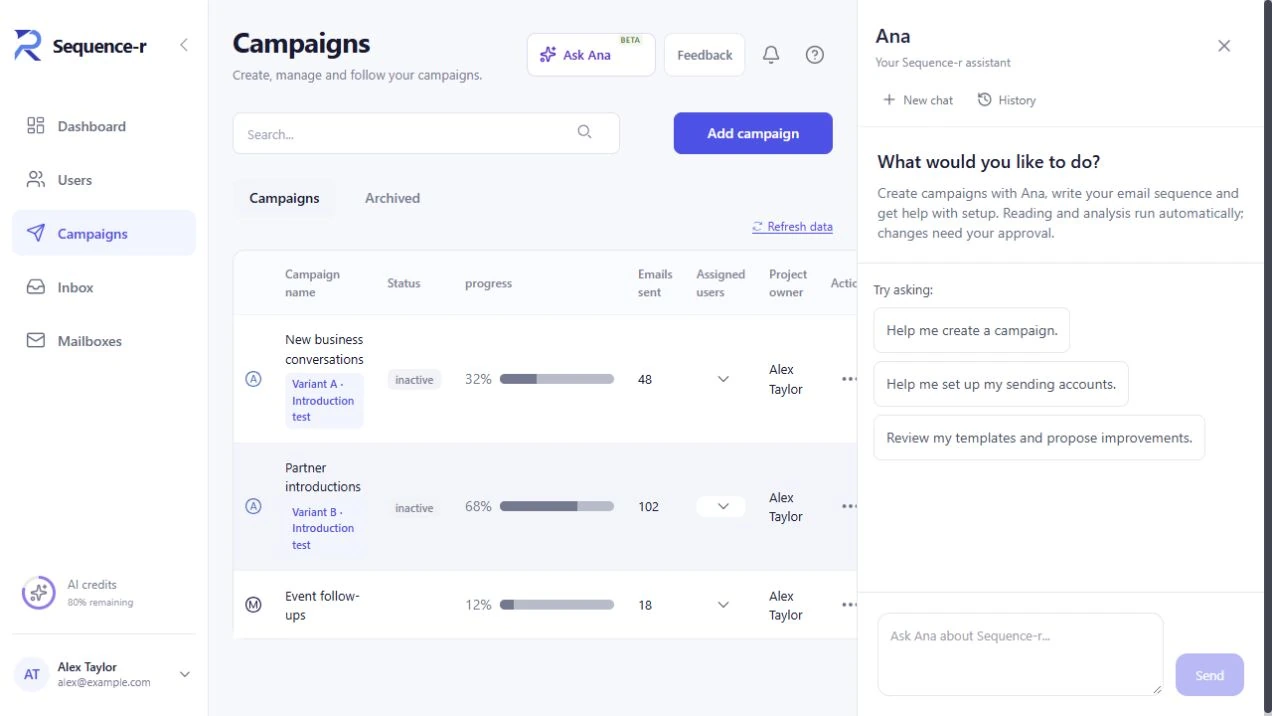
Ana connects AI writing assistance with the practical work of preparing a cold email campaign.
Describe your audience, offer and goal. Ask Ana to help create a campaign and prepare a sequence, then review the proposed changes.
Ask for a shorter introduction, more useful follow-ups or a different tone. Check the proposed copy, placeholders and facts before applying it.
Choose sending accounts, review sending settings and prepare a contact import through Ana’s campaign setup steps.
Ask Ana to review accessible campaign information, templates or performance. Use its explanation as a starting point for your next decision.
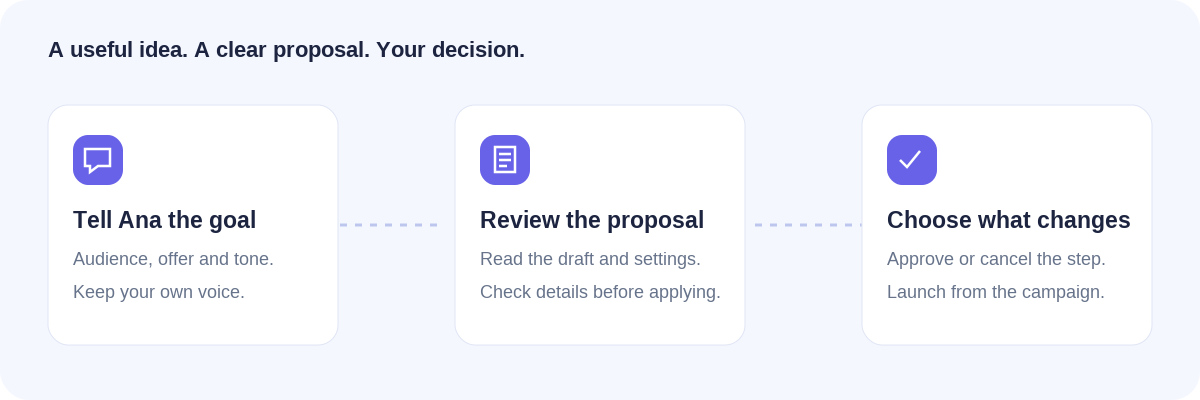
Reading and analysis can run automatically. Proposed changes wait for your approval. Ana does not start the campaign automatically.
Give Ana a specific brief: who you want to reach, what you can offer and the kind of response you want. Ask it to draft a sequence or improve the messages already in your campaign.
Read the proposed wording in the review card. Approve the change if it fits, or cancel the step and refine your request.
“Make the introduction shorter and ask whether a practical example would help.”
Example prompt, not a promise of replies. Review facts and personalisation before sending.
Explore AI email drafting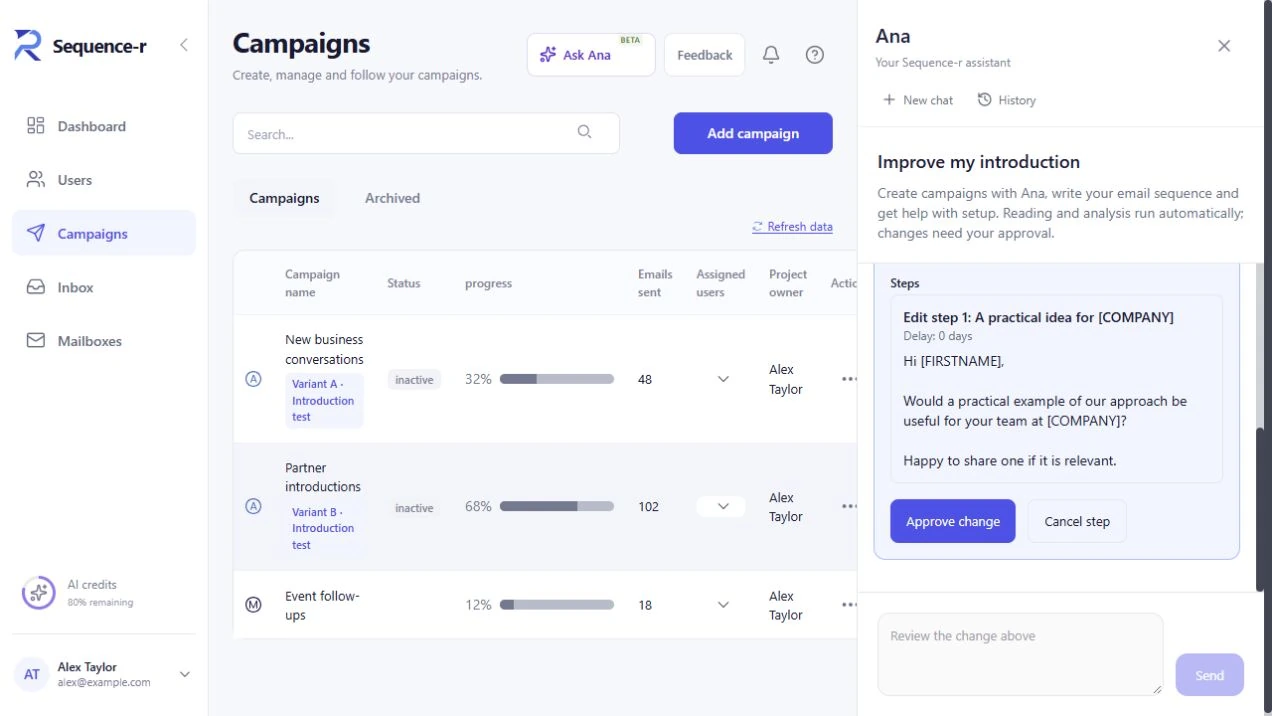
A useful sequence needs a considered setup. Ana’s campaign panel separates sending accounts, sending settings, contacts and final review so you can see what still needs attention.
Running campaigns have read-only setup controls. Availability depends on your workspace configuration and remaining AI credits.
Read the campaign setup guide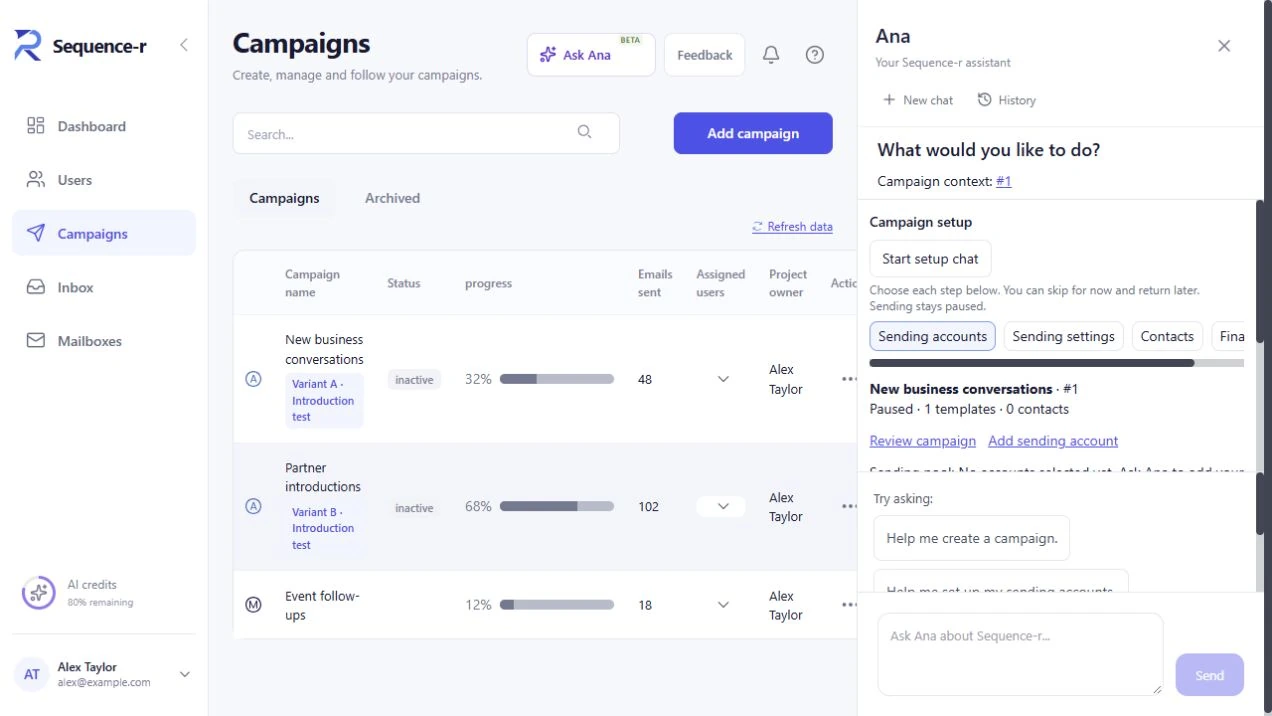
For founders preparing an initial outreach campaign, sales teams refining follow-ups and agencies working across client campaigns, Ana keeps assistance close to the work.
Bring your own audience and business context. Ana helps prepare and review campaigns; it does not replace a relevant offer, reliable contact data or your judgement.
Practical answers before you start.
Ana is Sequence-r’s built-in AI assistant for cold email campaigns. It helps with campaign preparation, email sequences, setup and reviewing accessible campaign information. It is currently labelled Beta.
An email generator focuses on drafting copy. Ana also helps with the surrounding campaign workflow, including setup steps and reviewing campaign information. See the AI cold email generator page for drafting-specific features.
Reading and analysis can run automatically. Changes such as editing a sequence are presented for review and need your approval. Check the proposed content and settings before approving.
No. Ana helps prepare the campaign. Review it and start sending from the campaign yourself. A prepared campaign is different from a running one.
Sign in to Sequence-r and choose Ask Ana in the application header, or open it through the AI credits control. Your workspace must have Ana enabled and configured, with available credits for new AI requests.
Its setup panel lets you choose connected sending accounts and review sending preferences. It also provides a CSV template and upload flow for a proposed contact import. Connecting a new mailbox still uses the mailbox connection flow.
Bring the idea. Review the next step.