sequence
Cold email A/B testing helps you compare two approaches to the same outreach question. In Sequence-r, you create independent campaign variants, prepare each campaign and review their results together. You can test a subject line, an opening, an offer or an audience—while keeping track of what actually changed.
Start with one useful question
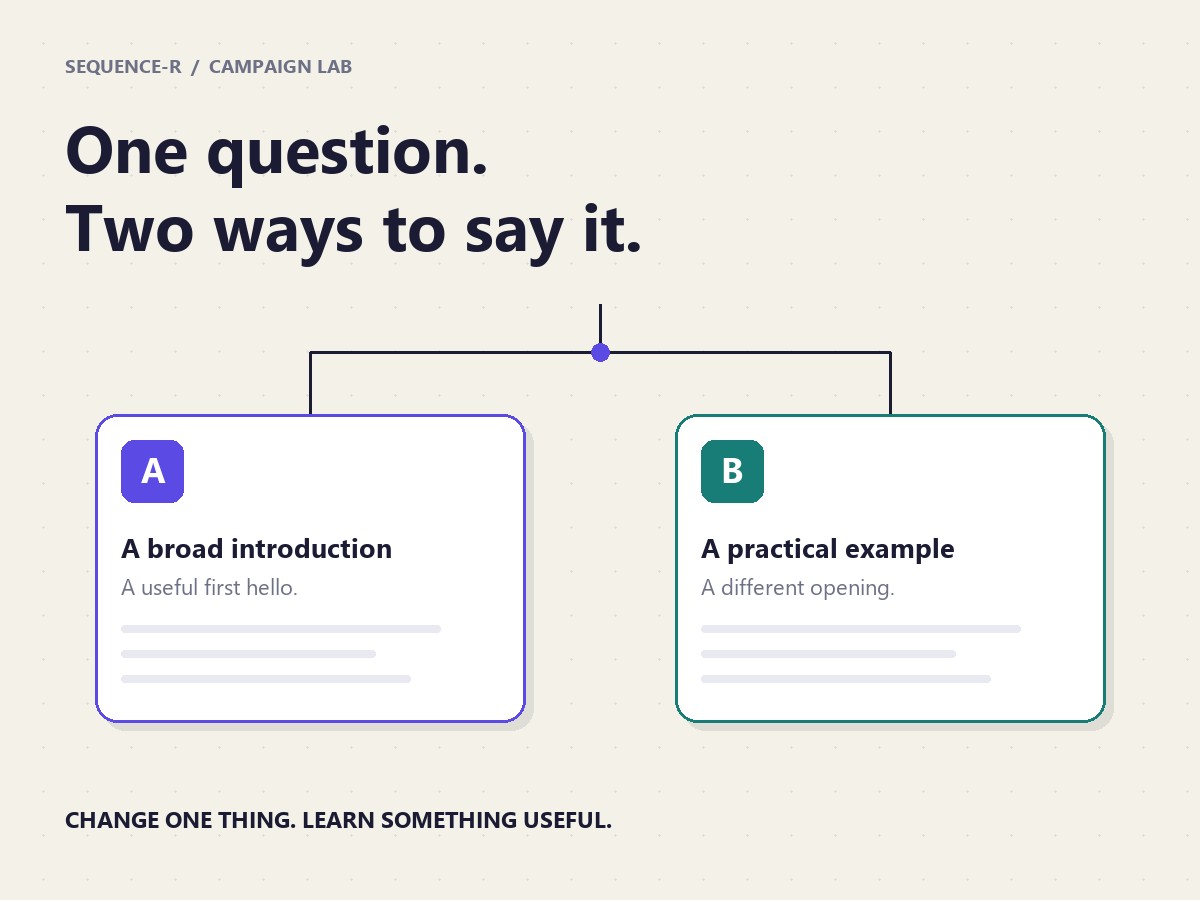
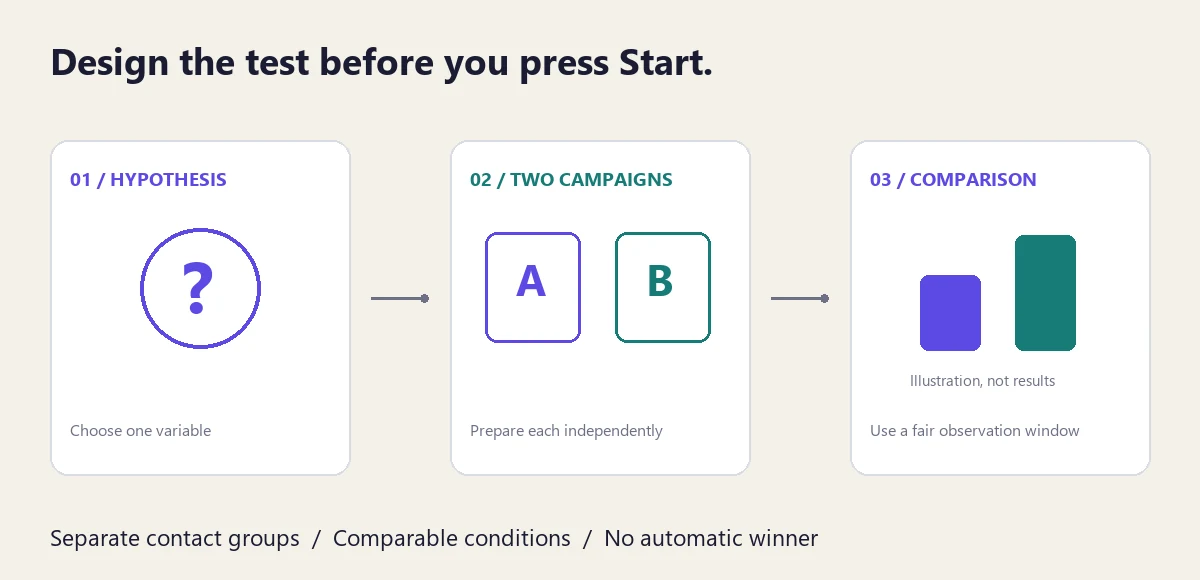
Write a hypothesis before creating the variant. For example: “Does a practical example earn more replies than a broad introduction?” Keep the audience and sending conditions comparable if you are testing copy. If you change the audience, record that as the variable instead.
- Subject line: a direct subject versus a question, with the same message body.
- Opening: a relevant observation versus a short practical example.
- Call to action: asking whether a resource would help versus asking for a conversation.
- Audience: two clearly defined segments, using the same core message.
1. Create a campaign variant
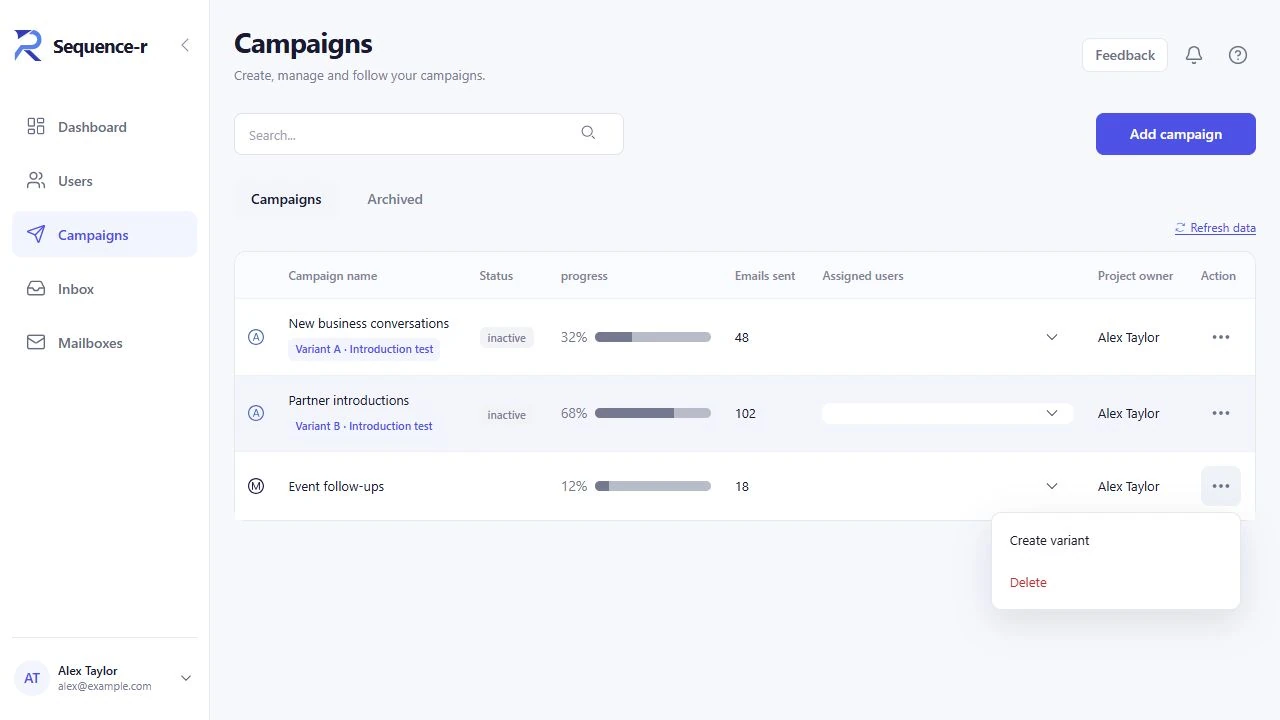
Open Campaigns and use the campaign’s three-dot actions menu. Choose Create variant. If the campaign is running, pause it first; an archived campaign must be restored before a variant can be created. The control must also be enabled for your workspace.
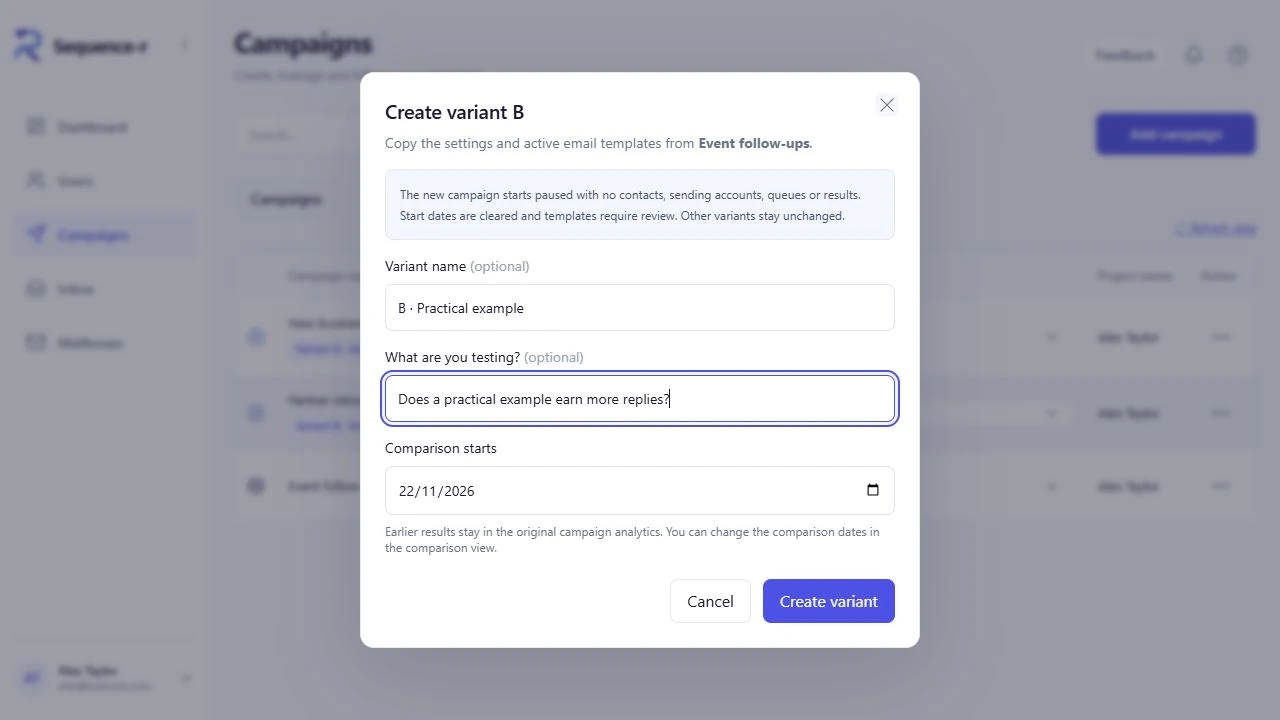
When you create the first comparison, the dialog offers an optional Variant name, an optional What are you testing? field and a Comparison starts date. Give the variant a name that explains the difference. The new variant is normally B; additional variants join the existing comparison group and receive the next available letter.
2. Understand what is copied—and what is cleared
The new campaign copies the source campaign’s settings and active email templates. It starts paused and leaves the other variants unchanged.
- No contacts are copied. Prepare the recipients for the new campaign yourself.
- No sending accounts are copied. Select and check its sending accounts or pool.
- No queues or results are copied. The new variant starts with its own activity.
- Start dates are cleared. Review the schedule before launch.
- Templates require review. Check and approve the final messages before sending.
For the underlying workflow, use the automated campaign setup guide or manual sequence guide.
3. Prepare and launch each campaign
Make your intended change in Sequence. Check personalisation fields and the follow-up messages, not just the first email. If you use the AI cold email generator, review its drafts so that it does not unintentionally change several parts of the test.
In Data, import and review a separate contact group for the variant. Avoid emailing the same person through both variants. In Settings, select the sending accounts, review the sending pool if used, and check the schedule, timezone and volume. Complete the campaign’s normal review and approval steps before selecting Start.
Keep conditions as comparable as practical. Different weekdays, mailbox histories or audience quality can affect the result. Warmup and inbox rotation do not remove those differences or guarantee delivery.
4. Open Compare variants
Use Compare variants in a grouped campaign’s action menu, or follow its variant badge. The comparison shows only campaigns you have access to. You can also reach the comparison from campaign analytics where its link is available.
Use the same calendar dates
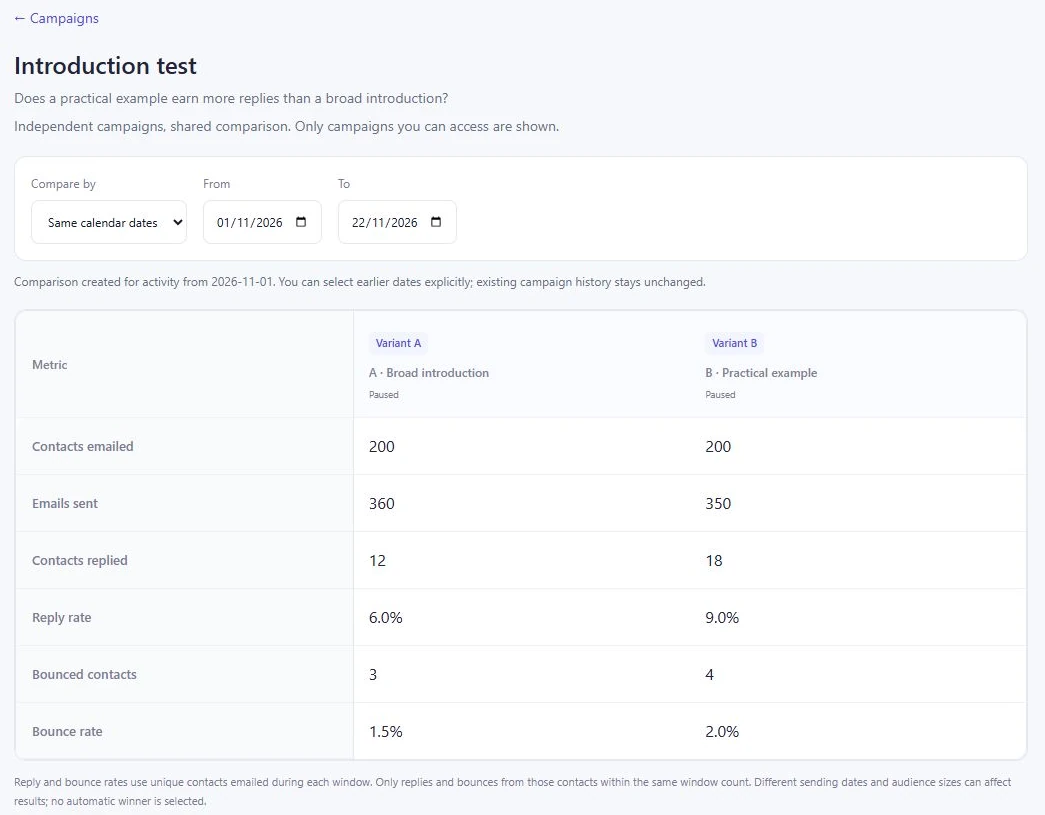
Select Same calendar dates to compare activity within a shared From/To range. This is useful when the campaigns ran alongside each other. Earlier campaign analytics stay intact; you can explicitly select earlier dates in the comparison.
Or compare the first days per variant
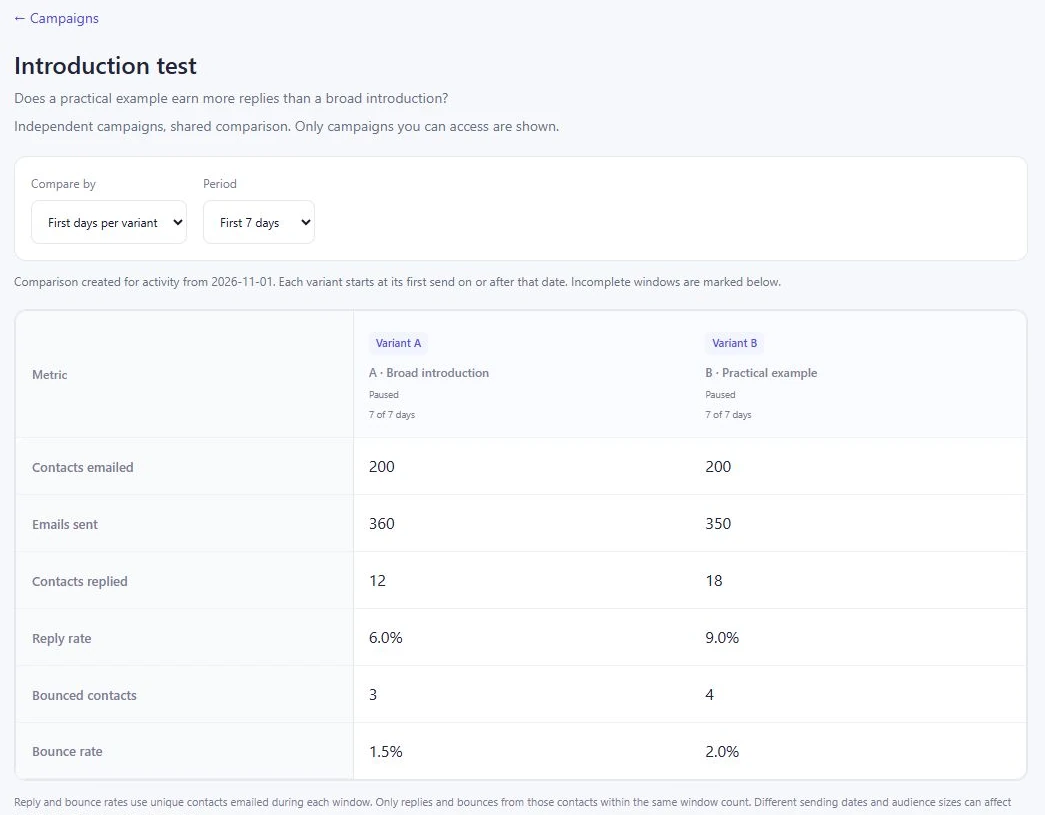
Select First days per variant and choose the first 7, 30 or 90 days. Each variant’s window begins at its first send on or after the comparison start date. This aligns campaigns by activity age when they started on different days. Incomplete windows are marked as collecting, and a campaign with no qualifying send is marked as not started.
5. Read the metrics without jumping to a winner
The comparison table includes contacts emailed, emails sent, contacts replied, reply rate, bounced contacts and bounce rate. Reply and bounce rates use unique contacts emailed during the selected window. Only replies and bounces from those contacts within that same window count.
The chart can show Emails sent per day or Reply events per day. Reply events can include repeat replies; the table counts each replying contact once. That is why a chart’s reply-event total need not equal the table’s contacts replied.
Check whether each variant has had enough time to receive replies, whether contact counts are comparable and whether bounces suggest a delivery problem. Then review the quality of the conversations. A higher raw reply rate can include negative replies; it does not by itself measure qualified opportunities. Sequence-r does not select an automatic winner or report a significance verdict in this view.
Before you call the test finished
- One clearly recorded hypothesis and a meaningful change.
- Separate, reviewed contact groups without unintended overlap.
- Checked templates, sender accounts and schedules for each campaign.
- A comparable observation window with time for replies.
- Reply quality and delivery problems reviewed alongside the rates.
- A written decision about what to keep, change or test next.
Cold email A/B testing questions
Does Sequence-r automatically divide my contact list?
No. Creating a variant leaves it with no contacts. You prepare the contact groups and import them into the independent campaigns.
Can I create a variant while the source campaign is running?
Pause it first. The current action menu disables creation for a running campaign and asks you to pause it. Archived campaigns must be restored first.
Will creating B change A’s results?
The new campaign has its own results, and other variants stay unchanged. Earlier history remains available in the original campaign analytics.
Does Sequence-r automatically send more traffic to a winning variant?
No automatic winner is selected by the comparison view. Review the evidence and manage each campaign yourself.
Where should I start if I have never built a sequence?
Read the email sequencing overview and campaign setup guide, then use this resource to prepare your first comparison.
Open Sequence-r to review your campaigns, or start a free account.
Good outreach starts with a useful conversation.
Try Sequence-r for free